
- Visit the official NDIS website.
- Log in using your registered NDIS provider account credentials.
- Navigate to the “Provider Dashboard” section.
Dashboard Overview
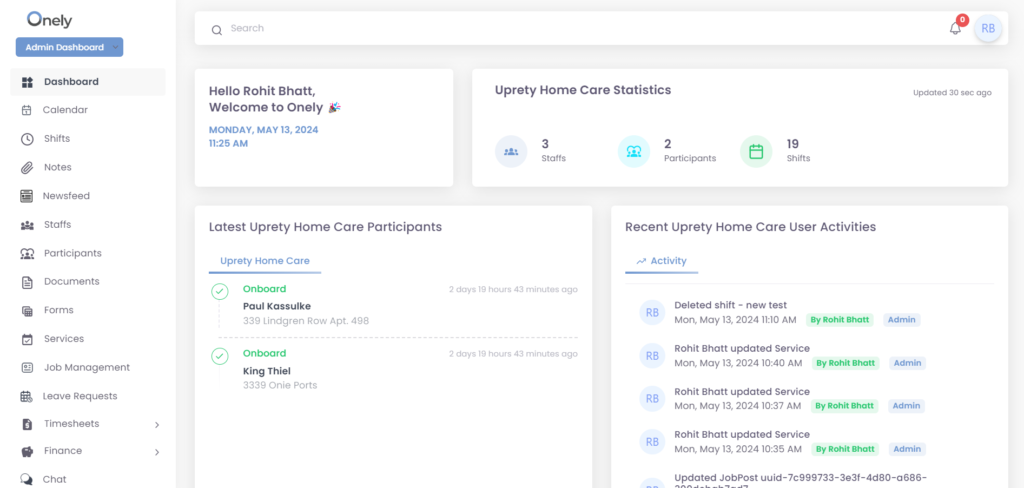
The NDIS Provider Dashboard provides a centralized platform for managing participants, claiming payments, and accessing reports. The specific layout may vary, but it will typically include:
- Navigation Menu: This menu provides access to different sections of the dashboard, such as Calendar, Participants, Staff, Services, Job, Setting and so on.
- Dashboard Statics: This section may display a summary of total number of participants, staff and shift, recent activities, such as new participants, new staffs, submitted claims, or upcoming deadlines.
Was this helpful?
0 / 0